1
Pick a photo. It becomes a sticker.
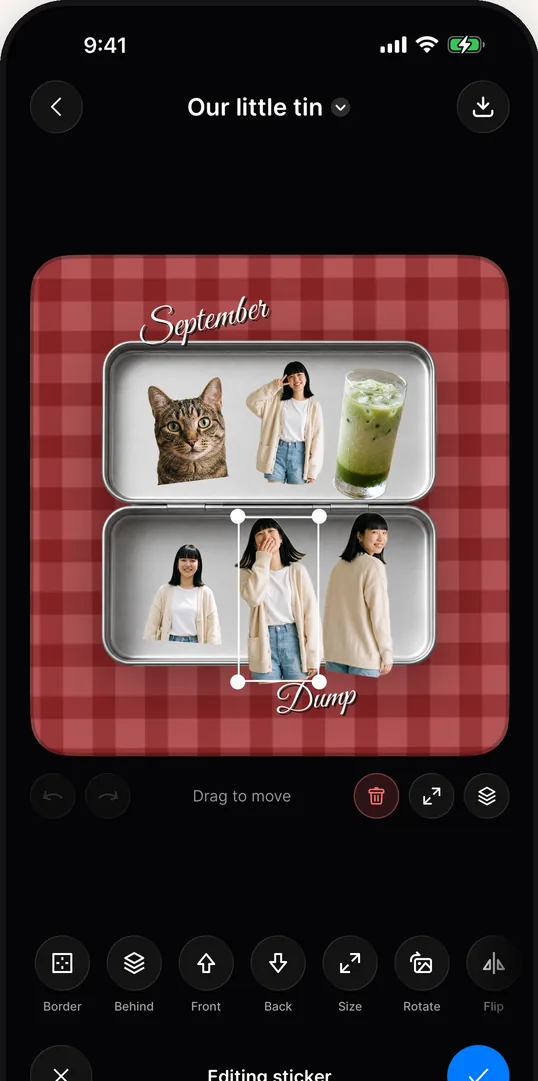
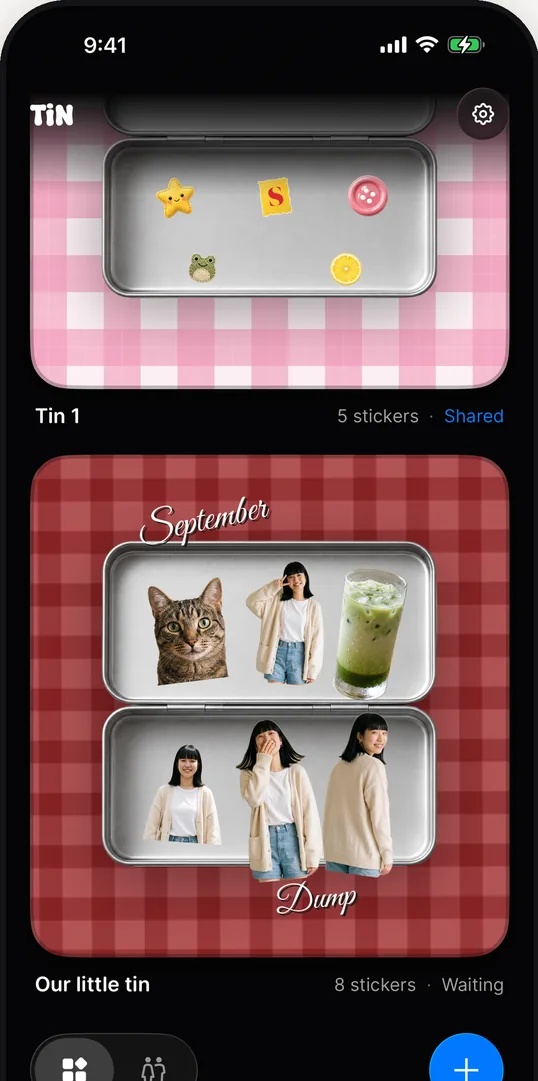
Choose a picture and tinwidget lifts the subject out of it — your cat, your friend, your iced matcha — and hands you back a cutout to place.
 Download
iPhone widget
Cut your photos into stickers, fill a tin with them, and keep it on your Home Screen. It is a scrapbook the size of a widget.
Free · iPhone · iOS 17 or later


No account, no sign-up. Open the app and start filling a tin.
Choose a picture and tinwidget lifts the subject out of it — your cat, your friend, your iced matcha — and hands you back a cutout to place.
Drag, pinch and rotate. Add words, stamps, postcards and pressed wax seals from the sticker packs, then set the whole thing on a gingham or denim backdrop.
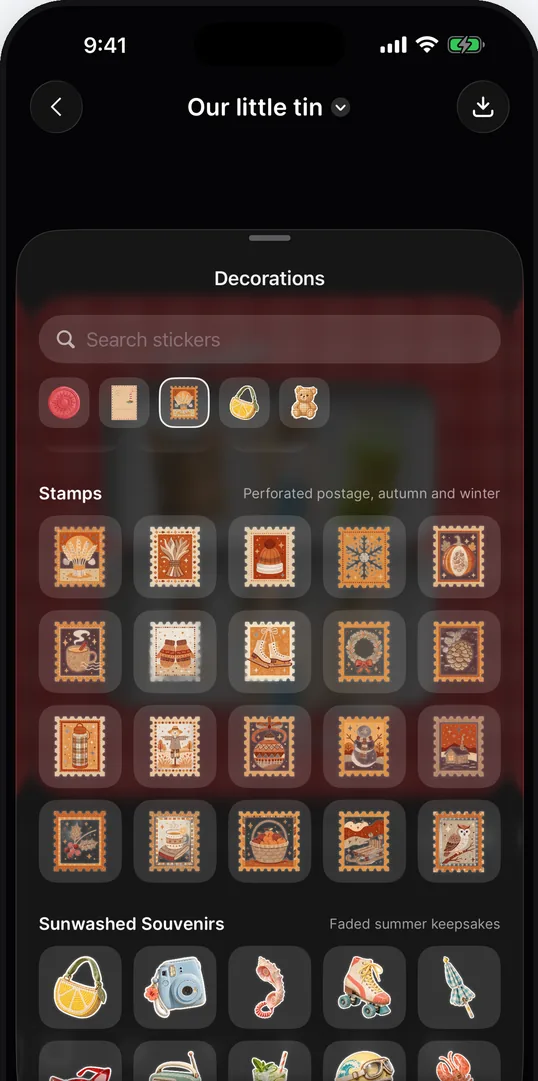
Tap Done and the tin becomes a widget in three sizes. Change a sticker and the widget follows. Tap it and you are back inside, decorating.
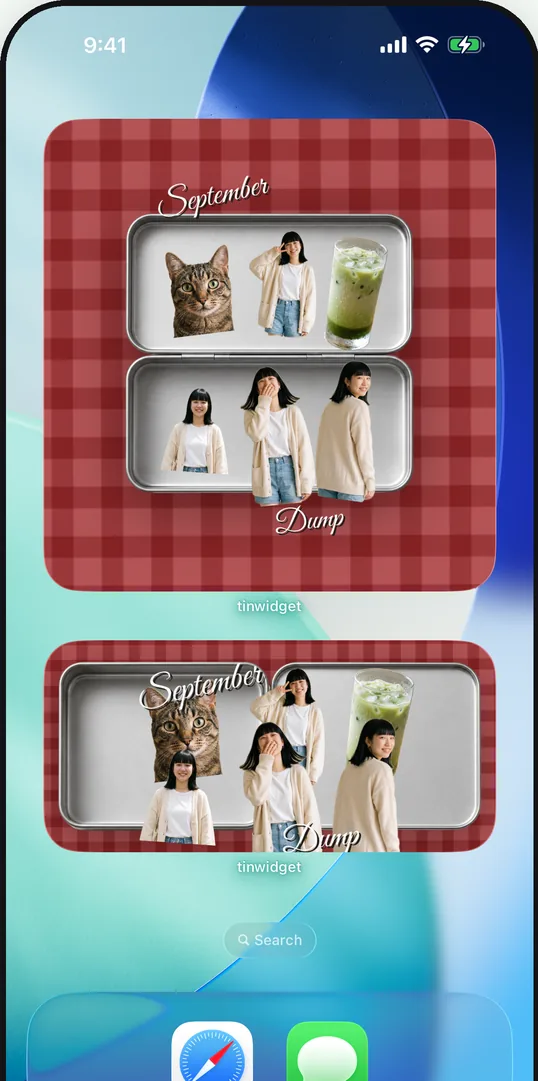
Everything is yours to arrange. Nothing is generated for you.
Your own pictures, with the subject lifted out. Give one a white border and it looks like a sticker you printed.
Pressed wax seals, blank postcards, postage stamps, sunwashed souvenirs and retro halftone prints.
Twenty-three photographed cloths — gingham, denim, corduroy — or a photo of your own behind the tin.
Type a word and set it in serif, Didot or typewriter, then pick its colour, outline or shadow.
Invite one person through iCloud and you each get a half of the same tin.
There is nothing to sign up for. Your tins live on your iPhone and in your own iCloud, and nobody — including us — can see them. Sharing a tin uses Apple's own iCloud sharing, not ours.
No analytics, no tracking, no advertising identifiers. The privacy label says so too.
Cutouts are made on your phone. Pictures are never uploaded anywhere we can reach.
Decorate on a plane. iCloud catches up whenever you are back on a connection.
Free to start
Two tins, six backdrops and three sticker packs, free. One purchase unlocks every pack, every backdrop and as many tins as you like — forever, with no subscription.
New packs and backdrops are included in the unlock as they arrive.
Free · iPhone · iOS 17 or later